PUBG Nickname Generator
Font Categories
PUBG Nickname Generator
I still remember the exact moment I realized my PUBG name was holding me back. It wasn't some dramatic ranked match or a tournament loss. It was actually way more embarrassing than that.
I was playing with a random squad in Erangel. We'd made it to the final circle, intense firefight, the whole deal. I managed to clutch a 1v3 and secure the chicken dinner. My teammates were hyped in voice chat. Then one of them said, "Yo, what's your name again? I can't even read it."
I told them. They laughed. Not in a mean way, but still. My name was something I'd typed in years ago when I first downloaded the game. It was a random word with some numbers tacked on. It looked like a burner account.
That night, I went down a rabbit hole searching for a better identity. I wanted something that felt like me, something that looked clean and intimidating in the kill feed. That's when I stumbled into the whole world of PUBG nickname generators and stylish symbols. And honestly, it changed how I felt about the game.
Why Your PUBG Name Actually Matters
Let's be real. A cool name won't make your aim better. It won't help you spot an enemy in a bush. But in a battle royale where everyone is trying to survive, psychology plays a huge role.
Your name is in the kill feed every time you knock someone. It's on the results screen. It's what your squadmates see when they spectate you. If your name looks like a default account, people will treat you like one.
꧁༒Ǥ₳₦ǤֆƬᏋЯ༒꧂ just hits different than Player_2847. It signals that you're someone who pays attention to details. It can even make opponents hesitate for a split second when they see your name pop up on their kill screen.
It's about building a presence, even if you're just playing for fun.
The Real Struggle With Nickname Generators
So I started searching for a PUBG nickname generator. And I found a lot of them. But most were just... bad.
- Some gave me names that were way too long.
- Others used symbols that looked fine on my PC browser but turned into blank squares when I tried to paste them into the game.
- One generator even gave me a name that PUBG Mobile straight-up rejected because it had banned characters.
It was frustrating. I'd find a name I thought was perfect, only to have it not work. It felt like I was wasting time.
Then I found Nickfinder-FF.com. The site's name is kind of specific to Free Fire, but the generator it uses actually works perfectly for PUBG and BGMI too.
Nickfinder-FF: The Generator That Actually Delivers
The biggest difference I noticed right away was that every single name it generated was copy-paste ready for PUBG Mobile. No weird symbols that break. No names that are over the character limit (PUBG usually allows up to 14–16 characters for the name itself, but you have to account for symbols too).
The generator gives you hundreds of options built around a core word. I typed in "Boss" and got back pages of variations:
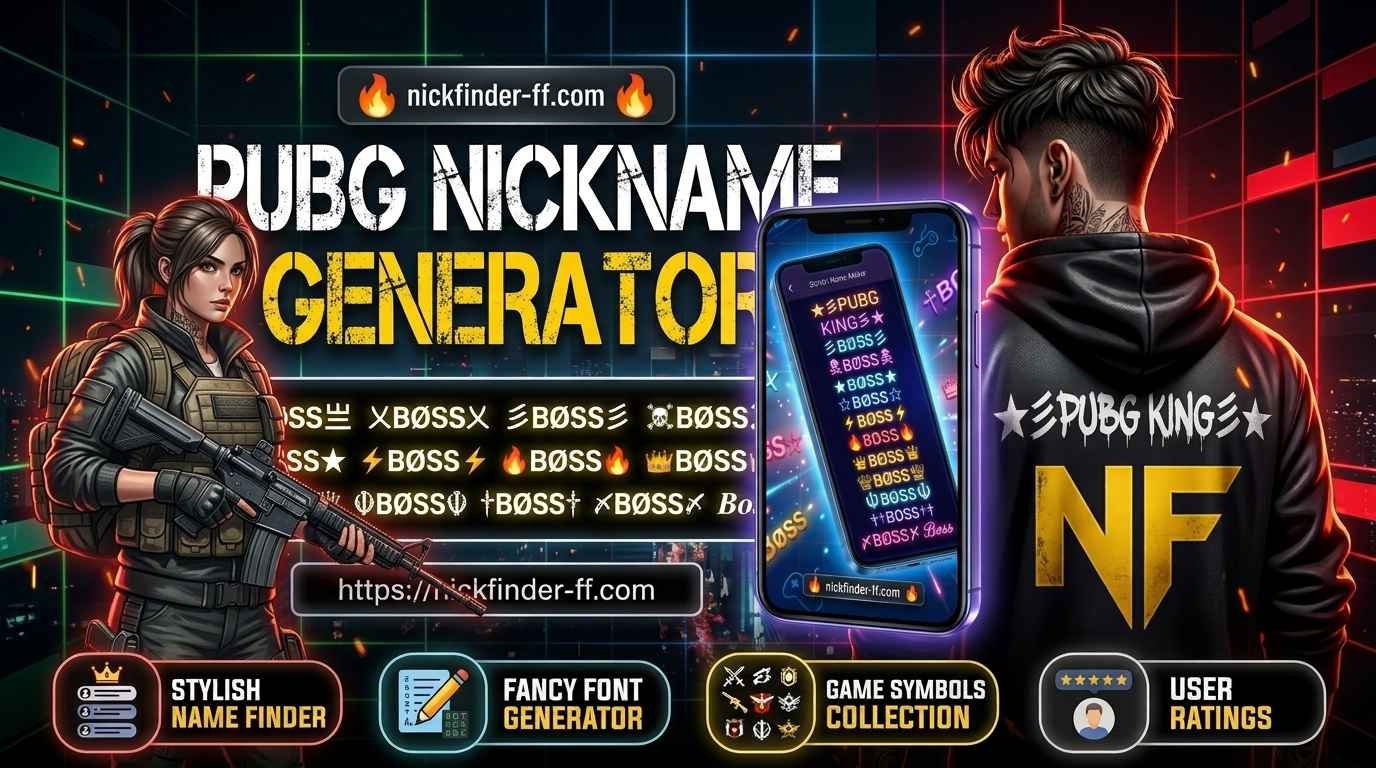
I spent a good hour just scrolling through, copying my favorites, and pasting them into my notes app to compare. The site doesn't just throw random symbols at you. It uses the specific Unicode characters that we know actually work in-game, like the Balinese and Javanese ornaments (꧁ ꧂) and the Tibetan marks (༒ ༆ ࿐) that are everywhere in pro-style tags.
My Step-by-Step Process for Picking the Perfect Name
Here's the exact process I used to land on my final PUBG nickname. It's the same one I still use whenever I feel like refreshing my identity or helping a friend.
- Start with a base word. Just type "Boss" or "King" or "Shadow" or whatever vibe you're going for. Keep it short.
- Open Nickfinder-FF. Paste your base word. The generator spits out dozens of decorated versions. Scroll through them slowly.
- Narrow it down to three favorites. I force myself to pick only three. Too many options and you start second-guessing.
- Check the character limit. PUBG Mobile generally allows up to 16 characters for a name. But remember: symbols count as characters too. So a name like ꧁Boss꧂ (which has 8 characters including the symbols) fits perfectly.
- Test it. Paste it into your notes app first. Then, when you're ready, open PUBG, go to your profile, and paste it into the name change field. If it shows up correctly, you're good to go. If it gets cut off or shows boxes, you need a shorter version.
Real Examples That Actually Work in Matches
Here are the categories of PUBG names I've either used myself or seen dominating lobbies. These are all designed to work in PUBG Mobile, BGMI, and similar games.
The Mistakes That Almost Ruined My Name
I made a lot of mistakes while trying to find the right name. Hopefully, you can learn from them so you don't waste time or in-game currency.
- Using too many symbols. A name that looks like a Christmas tree of special characters becomes unreadable in the kill feed. Keep the decorations on the sides or lightly mixed in.
- Making it too long. PUBG cuts off long names. If your beautiful creation only shows the first half, it loses the whole point. Aim for something that stays fully visible.
- Copying the exact same popular version. There are always a few overused ones floating around. When five people in the same lobby have nearly identical Boss names, none of them stand out. Add one personal twist like a number or your initials.
- Forgetting to test on your actual device. What looks perfect on a laptop browser can look broken on a mid-range Android phone. Always paste it into PUBG's name field and look at the preview if available.
How to Actually Change Your PUBG Name
Once you have the perfect nickname ready, here is the current process for PUBG Mobile and BGMI:
- Open PUBG and go to the main lobby.
- Tap your profile picture or banner in the top left.
- Look for the small pencil or edit icon next to your current name.
- Clear the old name and paste your new one.
- Confirm. You will need a Rename Card.
Where to get a Rename Card:
- Progress Missions: You get a free one early on for reaching a certain account level.
- Royale Pass and Events: Cards appear as reward tiers and in event shops.
- The In-game Shop: If you're impatient, a Rename Card costs around 180 UC.
Final Thoughts From Someone Who's Been Through It
Changing your PUBG name is one of those small upgrades that feels better than it should. It is quick, and it refreshes how you see yourself in the game.
A great PUBG nickname won't fix bad positioning or panic spraying. But a name you are proud of can make you play a little more carefully because you care how you look in the feed. It sounds silly until you experience it.
If your current name no longer feels like you, open a PUBG nickname generator, type a base word, and start scrolling. You might find the version that makes the next ranked session feel a little more personal.
Frequently Asked Questions
PUBG Mobile generally allows up to 14–16 characters for player names. The exact limit can vary slightly, but your name (including all symbols) must fit within this limit to avoid being cut off in the kill feed or lobby.
No. Some Unicode characters look perfect in a browser but get rejected or turn into boxes inside the game. Sites like Nickfinder-FF use characters that are known to work in PUBG and Free Fire. Always test your name by pasting it into the game's name change field before confirming.
You need a Rename Card to change your name in PUBG Mobile. You can get one for free from early progress missions or the Royale Pass. If you buy one from the shop, it costs around 180 UC.
Yes, PUBG Mobile allows duplicate names. Many players use similar styles. If you want more uniqueness, add a short personal element like a number, a clan tag, or a second short word.
Some older or lower-end devices render certain Unicode characters poorly. Stick to commonly supported symbols and fonts that appear cleanly across most phones.
You can, but each change costs a Rename Card. Frequent changes also make it harder for regular teammates and opponents to recognize you. Most experienced players settle on a solid name and keep it for several months or longer.
Sites like Nickfinder-FF let you generate fresh versions by typing "Boss" or related words. You can also combine the base word with other popular PUBG terms like Pro, King, Legend, or X and run those through the generator.
No mechanical advantage. The benefit is psychological. A name you like can make the game feel more personal and can sometimes change how other players perceive you in the lobby or after a fight.
Many of the same Unicode styles work in other titles like Free Fire and BGMI, but each game has its own character restrictions. Free Fire, for example, has a 12-character limit, which is tighter than PUBG's. Always test inside the specific game before locking it in.
Remove some of the more exotic symbols and try a cleaner version. The game is stricter with certain characters. Start with a simpler decoration like ★Boss★ and build from there if needed.